In the workflow
Why Jarvis dithering matters
It often creates smooth photographic transitions, but the broader pattern is not automatically best for every size and material.
Practical check
How to evaluate it
Compare Jarvis with Floyd-Steinberg and Stucki using the same source, size, and DPI. Inspect smooth skin or sky transitions alongside fine edges before selecting it for a material test.
See the pixels
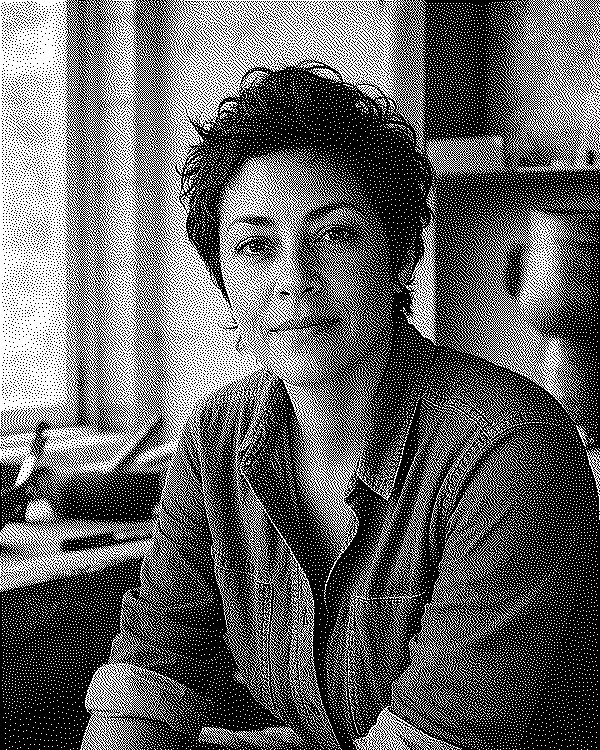
Jarvis dithering, shown on the same portrait
Jarvis-Judice-Ninke spreads error across a wider neighborhood than Floyd-Steinberg. The detail crop shows how the same cheek tones become a different arrangement of dots; the gray input has not changed.
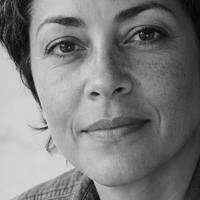
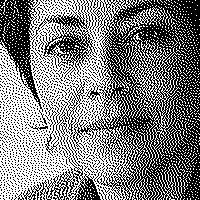
Jarvis: Compare the cheek's midtones with Stucki while keeping the eye and eyebrow edges in view.
Matching 200 × 200-pixel crops, taken after the full images were dithered. Previews fit your screen. Open a downloaded PNG at 100% to inspect the actual pixels.
Computed bitmap examples from EngravePrep's bundled sample portrait. These are not physical engraving results or a material recommendation.

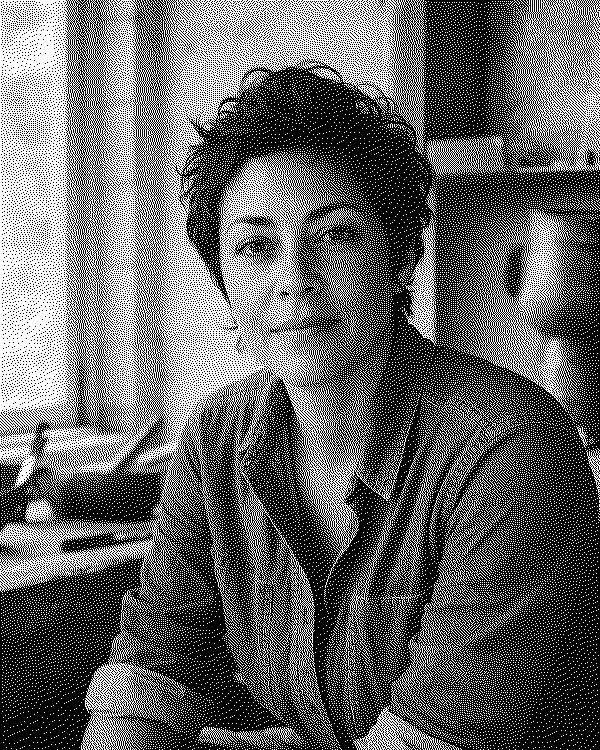
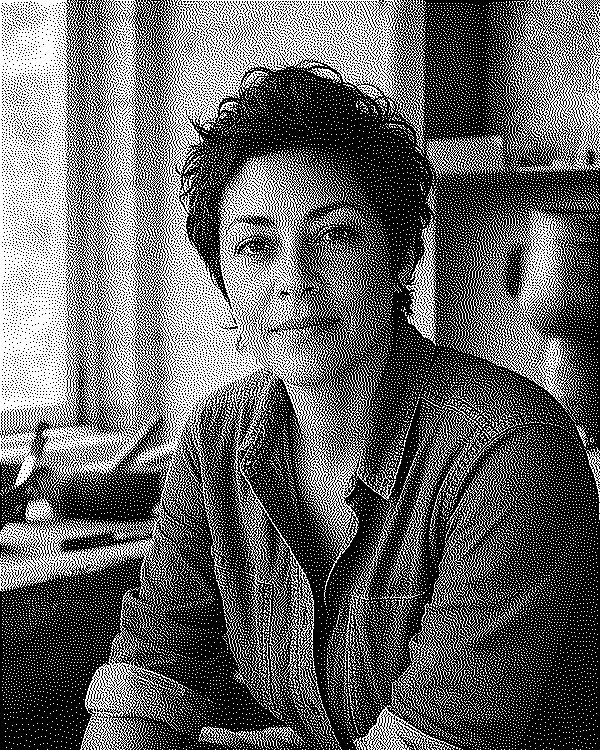
A smoother-looking screen preview does not establish a better engraving. Check whether your tested process keeps nearby dots separate before choosing Jarvis for the final piece.
Go deeper
Floyd-Steinberg vs Jarvis vs Stucki for Laser Engraving
Compare Stucki, Jarvis, and Floyd-Steinberg with computed one-bit PNG examples, matching detail crops, and practical checks for laser photo preparation.
Read the complete guide